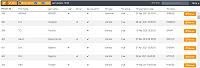
Create and manage user credentials for TX-SKY, using the DEVICE ADMIN CODE.
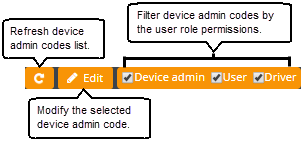
Use the DEVICE ADMIN CODE module to:
· view and update device admin code
1. In the left navigation
pane, click the menu icon  to view the
menu items.
to view the
menu items.
2. In the
menu list, click  and select
  .
.
The device admin code page with the list of device admin code details are displayed.
3. Select the admin name
you want to update and click  .
.
The TCI < ADMIN NAME> dialog box is displayed.
4. Set the Device admin toggle button to On or Off.
Note: You cannot change the User and Driver details.
5. In the Device admin type list, select an admin type.
6. Click SAVE.
The device admin code details are updated and reflected in the device admin code list.
Renew the device admin codes if the TCI code has expired or is nearing expiry.
1. In the left navigation
pane, click the menu icon to view the
menu items.
2. In the
menu list, click and select .
The device admin code page with the list of device admin code details are displayed in a table.
3. In the device admin
code list, click the  against the admin name whose
code you want to renew.
against the admin name whose
code you want to renew.
A confirmation dialog box is displayed.
4. Click OK.
The selected device admin code is renewed.
Related topics: