|
TX-SMART ACCOUNT |
TX-SMART is the perfect solution to stay in touch with your subcontractors' drivers. With the TX-SMART Android application installed on their GPS-enabled smartphones, the drivers can send and receive messages from the TX-CONNECT back office, receive planning details, etc.
Please note that it is also possible to create a next stop for a TX-SMART user.
|
CREATING A TX-SMART ACCOUNT IN TX-CONNECT |
In order to create a TX-SMART account, you can proceed in exactly the same way as when creating a new vehicle in the "Vehicle management" screen.
Go to "Settings > Management > Vehicle management"
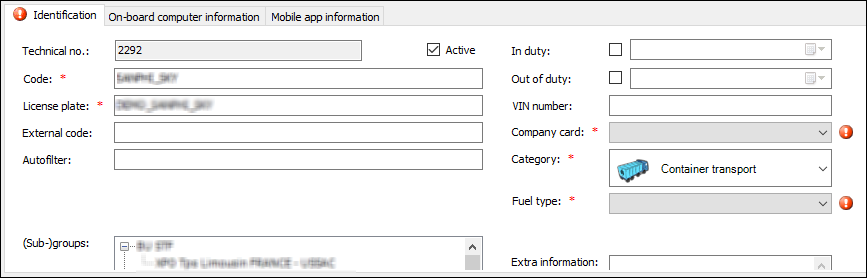
1. Fill out the five mandatory fields (Code, License plate, Company card, Category, and Fuel type) on the "Identification" tab page.
2. On-board computer information tab page:
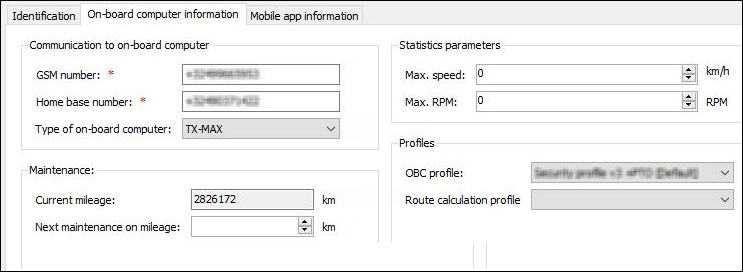
2.1. Fleet environment (TX-MAX / Quattro+) / Mixed fleet environment (TX-MAX / Quattro+ / TX-SKY)
Select "Other" as the type of on-board computer and fill out the GSM number of the SIM card in the on-board computer.
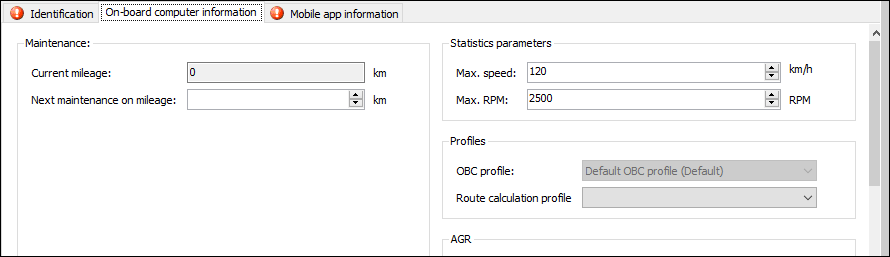
2.2. TX-SKY-only environment (TX-SKY)
No type of on-board computer needs to be selected:
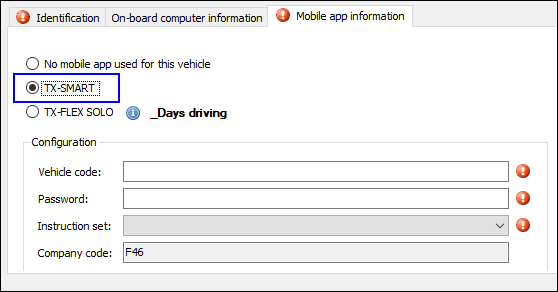
3. Mobile app information tab page
3.1. Fleet environment (TX-MAX / Quattro +) / Mixed fleet environment (TX-MAX / Quattro+ / TX-SKY)
Enter the vehicle code and password and choose the instruction set for TX-SMART.
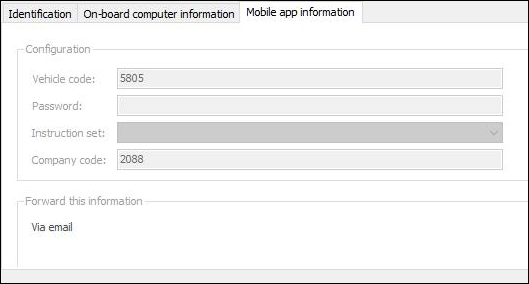
3.2. TX-SKY-only environment (TX-SKY)
Select "TX-SMART" to link the vehicle to a TX-SMART account.
Note: You will not be able to link it if it is already linked to a TX-SKY on-board computer.
Next, enter the vehicle code and password and choose the instruction set for TX-SMART.
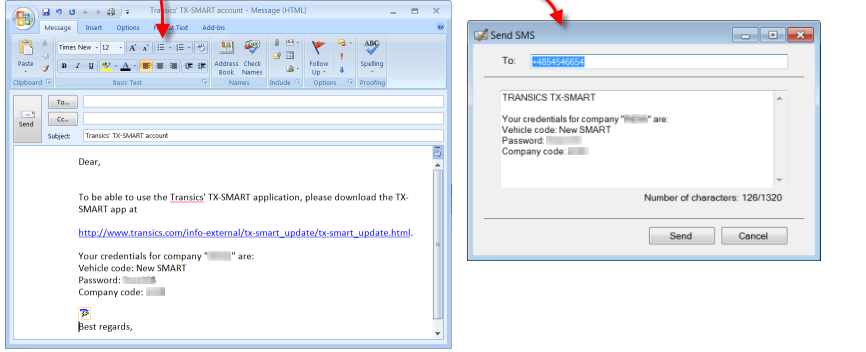
After saving, the credentials can be sent to the diver by email or SMS.
Related topics: How do I create a vehicle - How do I send planning to a TX-SMART vehicle