|
GENERAL OVERVIEW 11.45.14 |
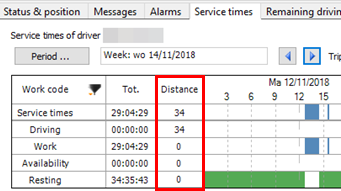
"Service times" tab page - Total distance(Only TX-SKY / Mixed fleet environment)
Use the filter in the "Service times" tab of the "Vehicle follow-up" / "Driver follow-up" module to visualize the total distance per activity in the graphical overview.
Consult Service times for more information. |
|
|
|
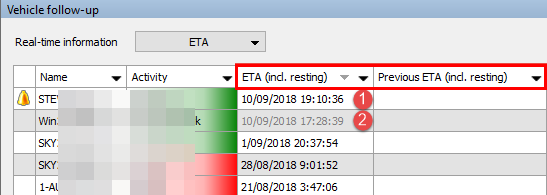
Real-time information - Estimated time of arrival (ETA) including resting times(Only TX-SKY environment - not active by default)
When active, the calculated time of arrival includes the required mandatory resting times. So, in case a mandatory resting time is needed before reaching the destination, it is added to the time of arrival.
Consult ETA for more information. |
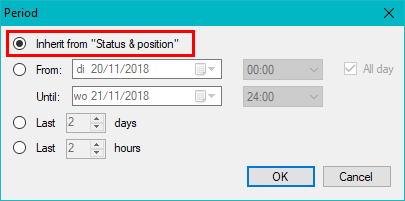
"Map" tab page - Inherit period selection from "Status & position"(Only TX-SKY / Mixed fleet environment - not active by default)
A new "Period" setting is available on the "Map" tab page: Inherit from "Status & position".
Use the new setting to visualize every selected position in the "Status & position" tab page directly in the "Map" tab page.
Consult Map for more information. |
|
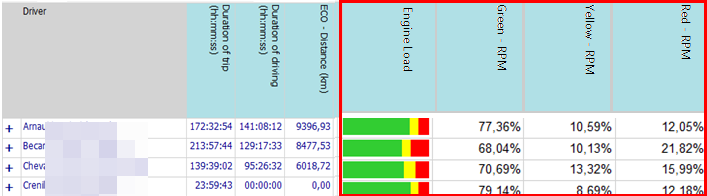
RPM - Engine load in ECO MONITOR report(Only TX-SKY / Mixed fleet environment - not active by default)
In order to visualize as much relevant data as possible, the RPM / engine load (%) data, which are also shown in a separate report (cf. RPM / Engine load), can now also be visualized in the ECO MONITOR reports.
Consult ECO MONITOR for more information. |
|
|
|
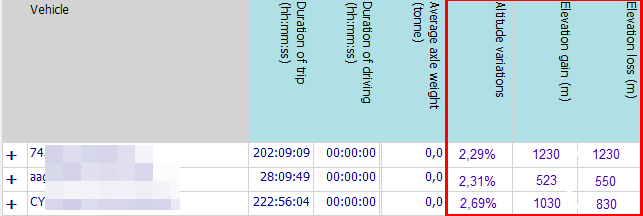
Altitude variations in ECO MONITOR report(Only TX-SKY / Mixed fleet environment - not active by default)
Additional parameters are available in the ECO MONITOR report:
Using the altitude information from the GPS data, these parameters provide an indication of the altitude differences during the selected period. Higher values indicate more altitude variations which may affect fuel consumption or other subscores.
Consult ECO MONITOR for more information. |
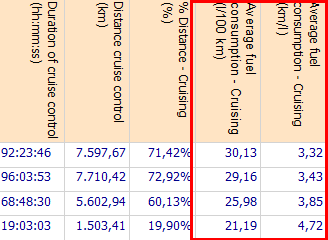
Fuel consumption during cruising in ECO MONITOR report(Only TX-SKY / Mixed fleet environment - active by default)
The average fuel consumption (l/100 km / km/l) while cruising (= cruise control is active) is now also visualized in the ECO MONITOR reports.
Consult ECO MONITOR for more information. |
|
|
|
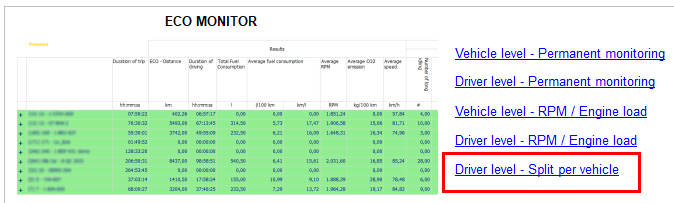
ECO MONITOR: Driver level - Split per vehicle(Only TX-SKY / Mixed fleet environment - not active by default)
In the "ECO reports" module, a new ECO MONITOR report is available, which visualizes a driver's ECO trips grouped per vehicle. If a driver was active in multiple vehicles, the report visualizes multiple lines for the selected driver.
Consult Driver level - Split per vehicle for more information. |
|
|
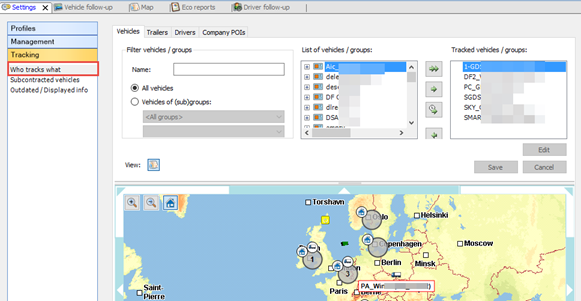
Who tracks what - Modify tracked items for own profile / based on current location(Only TX-SKY environment - not active by default)
A set of new user rights allows you to change the tracked items (vehicles, trailers, drivers and company POIs) only for your own user.
In this manner, the administrator can create a user profile that allows users to modify only their own tracked items.
Consult Who tracks what for more information. |