|
SCHEDULED TIME OF ARRIVAL |
Scheduled Time of Arrival means that the driver and / or the home base get a warning when the vehicle has not arrived in a specific area by a certain time.
|
General |
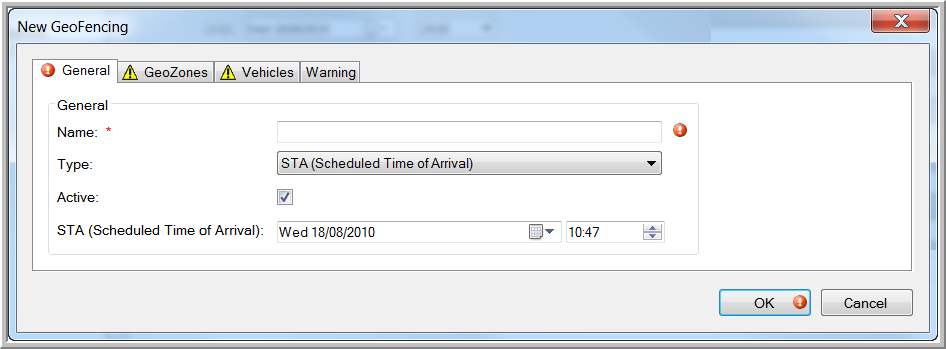
The "General" tab page contains the following details:
 Enter a name. The exclamation mark disappears as soon as the new GeoFencing object has been given a name.
Standard
Scheduled time of arrival
Restrictive
Deselect this checkbox if you wish to deactivate this GeoFencing object. The object will be removed from the list of GeoFencing objects on the map. It can, however, be reactivated in the GeoFencing module by checking the "Active" checkbox in the "General" tab page.
Select the scheduled date and time of arrival using the calendar.
Select this checkbox if you wish set this geofence as the next stop. After completing all fields and saving the GeoFencing object, the "Create next stop" window will open.