 or with an icon you have assigned to its category, e.g.
  .
.|
POINTS OF INTEREST |
A point of interest (POI) is a place that is useful to you. This can be e.g. the address of a customer, a petrol station, ...
In order to visualize the POIs in TX-CONNECT, the following four steps need to be executed:
create the different POI categories;
create a POI;
assign the POIs to yourself as a user;
run the TX-ICON IMPORT TOOL in order to import the icons in the database.
The first three steps still need to be executed in TOS (TFM, TMS, TMM). For more information on these steps, please consult the manual of those applications.
Please contact the Transics' project engineer who will import the icons into the database.
|
VISUALIZATION |
A single POI
A POI will be indicated either with a general icon or with an icon you have assigned to its category, e.g. .
When you move your mouse cursor over the POI, a tooltip will appear with extra information on that POI (name, address, category).
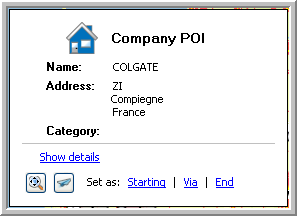
From this tooltip, it will be possible to:
Visualize the details of the POI
Zoom in on the POI
Export the position
Set the POI as a starting, via or end point in your route calculation.
Multiple POIs
Multiple POIs will be displayed with a general icon.
Multiple objects (POIs , vehicles and trailers)
Multiple objects are grouped and indicated by a circle and their corresponding general icon on it  .
.
When you move your mouse cursor over a circle, a tooltip will appear giving you an overview of the objects (first all vehicles and then all POIs are shown). From this tooltip, it is also possible to select a vehicle to which you can send a message.
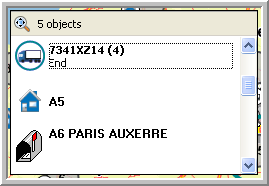
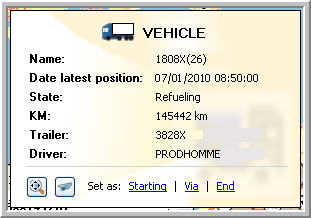
When you move your mouse cursor over a specific object in the tooltip, you will get extra information on this object.
Tip: When too many POIs are shown, your map might not be clear anymore. In order to reduce the number of POIs shown, use the filter option.