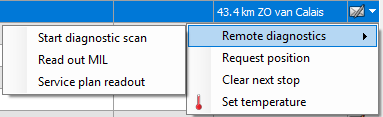
When the functionality is active, an additional "Remote diagnostics" menu is available in "Vehicle follow-up" with the following options:
§ "Read out MIL": Quickly check if a Malfunction Indication Lamp (MIL) is ON in the vehicle.
§ "Start diagnostics scan": In case the MIL is ON after a readout, perform an in-depth diagnostics scan.
§ "Service plan readout": Via this option, you can also remotely read out the service plan of the vehicle.
Read out MIL
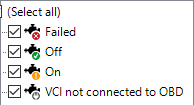
The MIL readout quickly checks if the Malfunction Indication Lamp in the vehicle is ON or OFF. You can select multiple vehicles to perform a MIL readout.
§ If the status is set to "OFF", no further action is required.
§ If the status is set to "ON", perform a full diagnostics scan by selecting "Start diagnostics scan".
MIL status:
Start a diagnostics scan
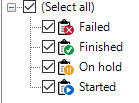
Launch a full diagnostics vehicle scan in case the Malfunction Indication Lamp is ON. This scan will retrieve more information on the failure. Consult the latest status of the scan session in the "Diagnostics readout status" column.
Note that this is a paid functionality. 2 scans are included in the recurring price per month.
Diagnostics readout status:
Diagnostics status
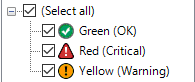
Consult the status of the diagnostic scan in the "Diagnostics status" column.
§ Green (OK): No further action is required.
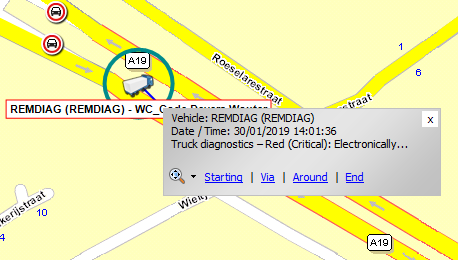
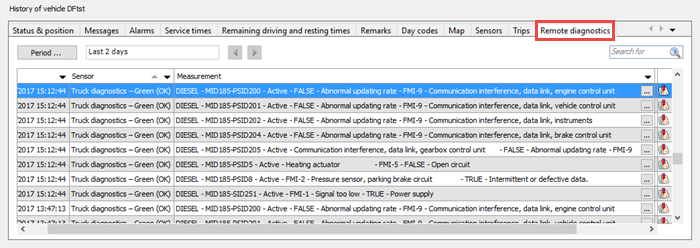
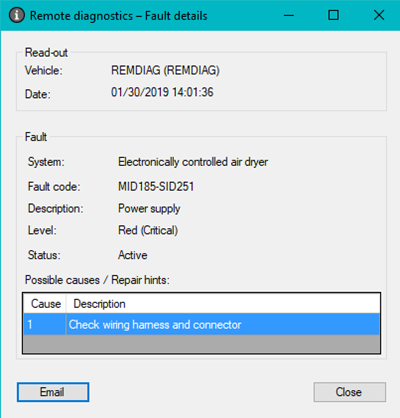
§ Red (Critical): Consult the "Remote diagnostics" tab page in Vehicle follow-up - History for more information.
§ Yellow (Warning): Consult the "Remote diagnostics" tab page in Vehicle follow-up - History for more information.
Diagnostics status:
Service plan readout
Consult the status of the service plan readout in the "Service plan readout status" column:
If a service plan is available, click on  for more detailed information.
The next maintenance data are different for every brand / model. So, the detailed information will vary according to your vehicle type.

Service plan readout status:

 to locate the position of the vehicle with the anomaly on the map.