-
Polygon GeoFencing (TX-SKY only)
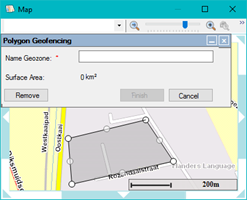
As from TX-CONNECT v11.37, you can also create polygon GeoFencing objects, next to the normal circular GeoFencing objects. This type of GeoFencing can have any shape and is created by setting up different map points.
|
GENERAL OVERVIEW 11.37 |
As from TX-CONNECT v11.37, you can also create polygon GeoFencing objects, next to the normal circular GeoFencing objects. This type of GeoFencing can have any shape and is created by setting up different map points. |
|
|
|
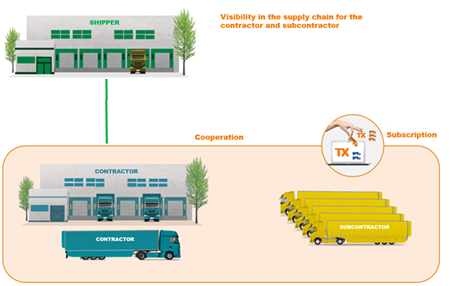
Via the new functionality for subcontracting, you can set up a cooperation between different transport companies and temporarily assign vehicles / trailers to other transport companies. Transport company A (= subcontractor) can temporarily assign vehicles / trailers to transport company B (= contractor). As a result, the assigned (subcontracted) vehicles / trailers are visualized within the TX-CONNECT application of company B for the configured period. The TX-CONNECT application of the contractor displays the subcontracted vehicles / trailers as normal vehicles / trailers, but offers only a limited set of functionalities: activities / registrations, positions, messages, GeoFencing and sensor information. The subcontracting functionality is supported on TX-SKY, TX-GO, TX-TRAILERGUARD and MDT devices. TX-REPORTS: Supported reports for the contractor |
o Vehicle follow-up - History: Reefer alarm codes: Carrier Direct |
|
TX-CONNECT v11.37 offers a new set of user rights which limits the available drivers / vehicles / trailers / company POIs in the "Settings" module in TX-CONNECT. |
|