|
CANCEL ALL TRIPS |
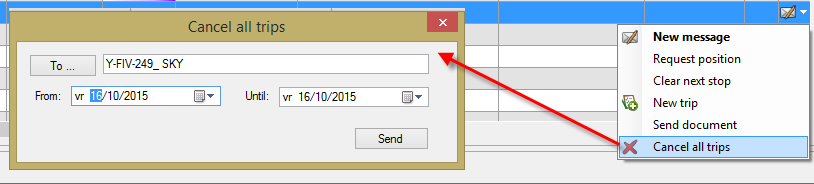
Using the Cancel all trips option in the Vehicle follow-up module, dispatchers can cancel all trips on the selected on-board computers (TX-SKY only) from the back office.
A "Cancel all trips" window will open with the selected vehicle(s) already filled in as the recipient(s).
Select the desired period and click Send.
Please note that this functionality is subject to user rights.