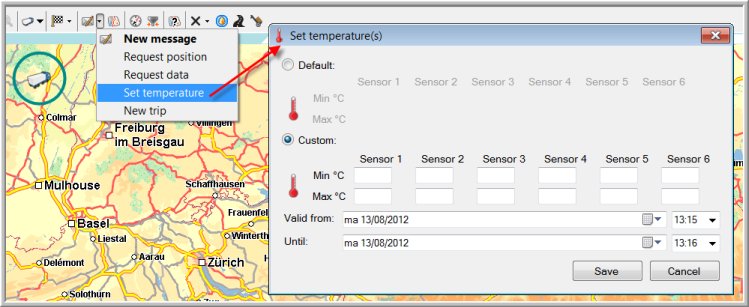
Select the respective vehicle or trailer in the Vehicle follow-up module.
Open the drop-down list and select "Set temperature".

For vehicles
-
TX-SKY
|
SET TEMPERATURES |
It is possible to set temperature zones with a limited validity per vehicle or trailer.
To do so:
Select the respective vehicle or trailer in the Vehicle follow-up module.
Open the drop-down list and select "Set temperature".
For vehicles
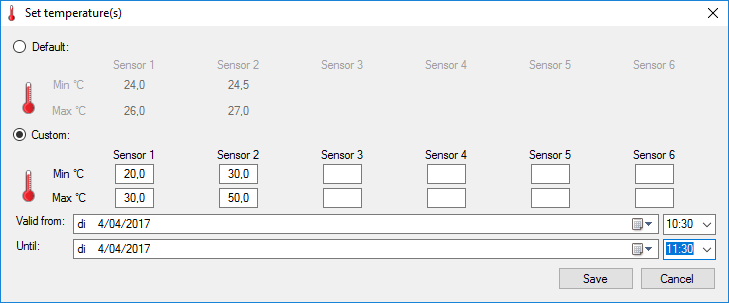
TX-SKY
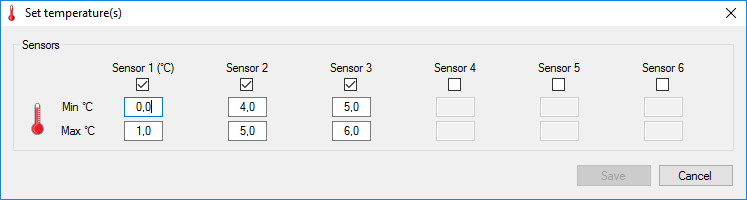
TX-MAX/Q+
Default: the default temperature zones that were set in the OBC profiles (if filled in).
Custom: temperature zones with a limited validity.
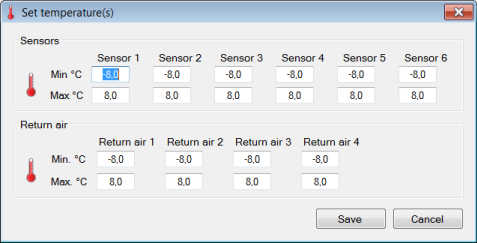
For trailers
o Sensors: the allowed temperature zones in the trailer.
o Return air: the return air temperatures measured in the trailer.
For TX-TRAILERGUARD
Please note that the same thing can be done starting from the map.