
|
DOCUMENT FOLLOW-UP TX-SKY / Mixed GENERAL OVERVIEW |
The Document follow-up provides a detailed overview of the received scanned documents. In this module, it is possible to consult, download and send the received documents.
|
VISUALISATION |
The screen consists of 2 major parts:
The selection area in the left part of the screen
The preview screen in the right part of the screen
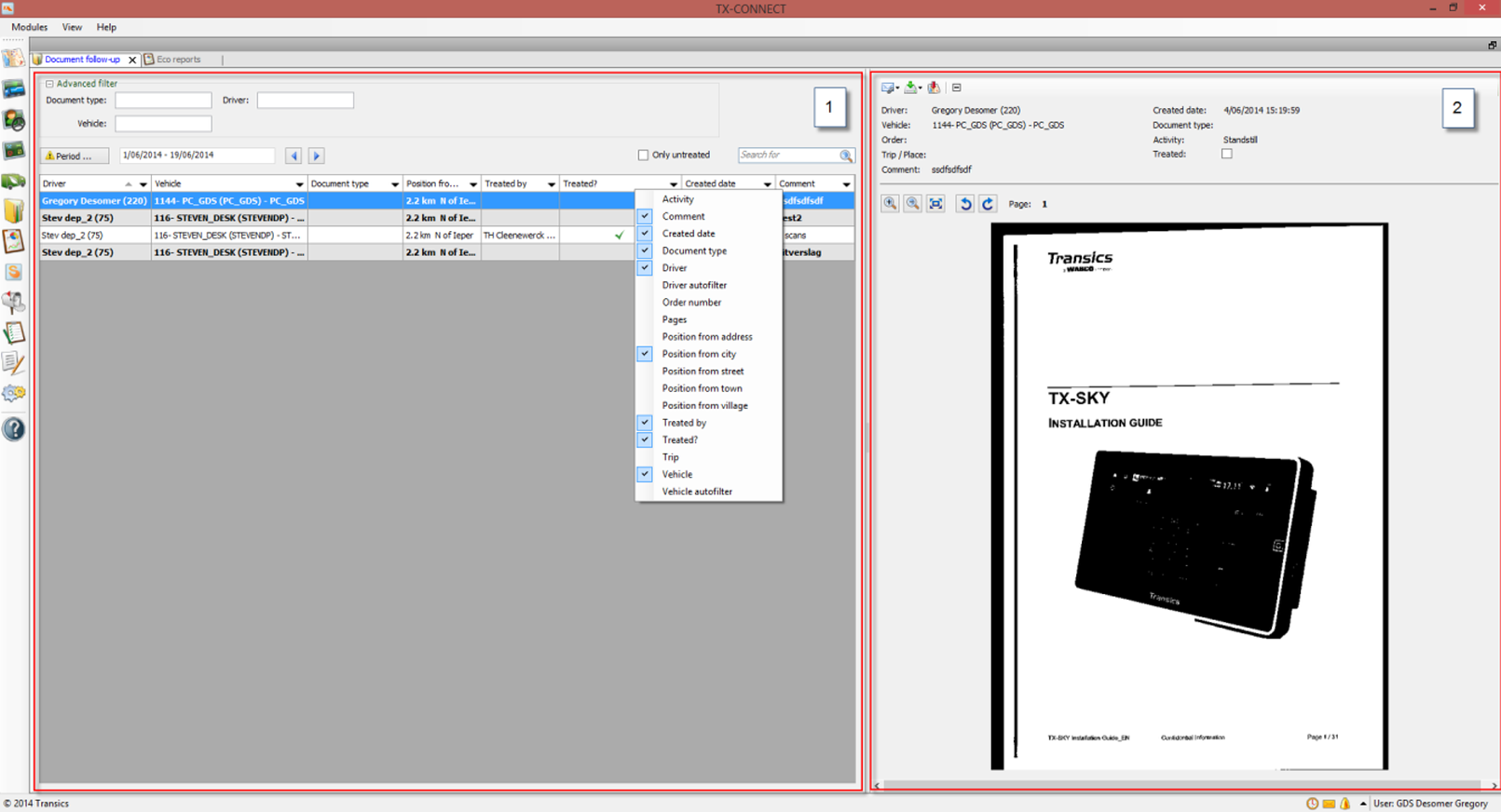
Use the selection area to select the correct document:
Expand the Advanced filter to filter on Document type, Vehicle, Order or Driver.

Use the Period button to select the correct period:

Use the Only untreated checkbox to filter out all treated documents:

Use the Search for field to search free text.

Note: This search field will only search within the filtered results (cf. Advanced filter above).
Right-click the column top bar to add or remove columns from the view:
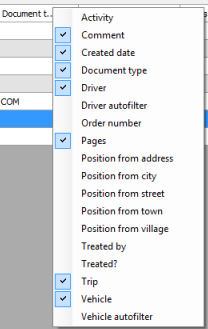
Note: Users can indicate if a document has already been treated: Treated? and Treated by columns.
In the preview area, users can consult the selected document.
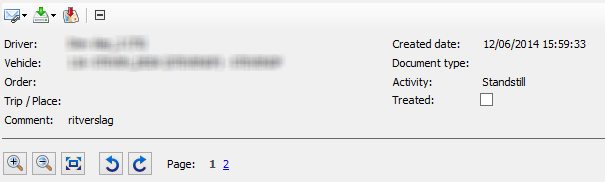
A number of other options are available:
|
|
Send document via email |
|
|
Save as PDF / Save as image |
|
|
Show position on map (where document was scanned) |
|
|
Collapse / Expand |
|
|
Zoom in / out |
|
|
Fit to screen |
|
|
Rotate left / Rotate right |
|
|
Show page |


